






Segmentation sits at the heart of every marketing and product decision. But as user behaviours evolve, your segmentation engine must evolve even faster.
So, we rebuilt it from the ground up.
Introducing Segmentation in a New Avatar; a powerful, flexible, deeply intelligent experience designed to give you complete control over how you define and understand your users.
This isn’t just an upgrade. It’s a new era of segmentation.
🌟 A Clean, Unrestricted Canvas
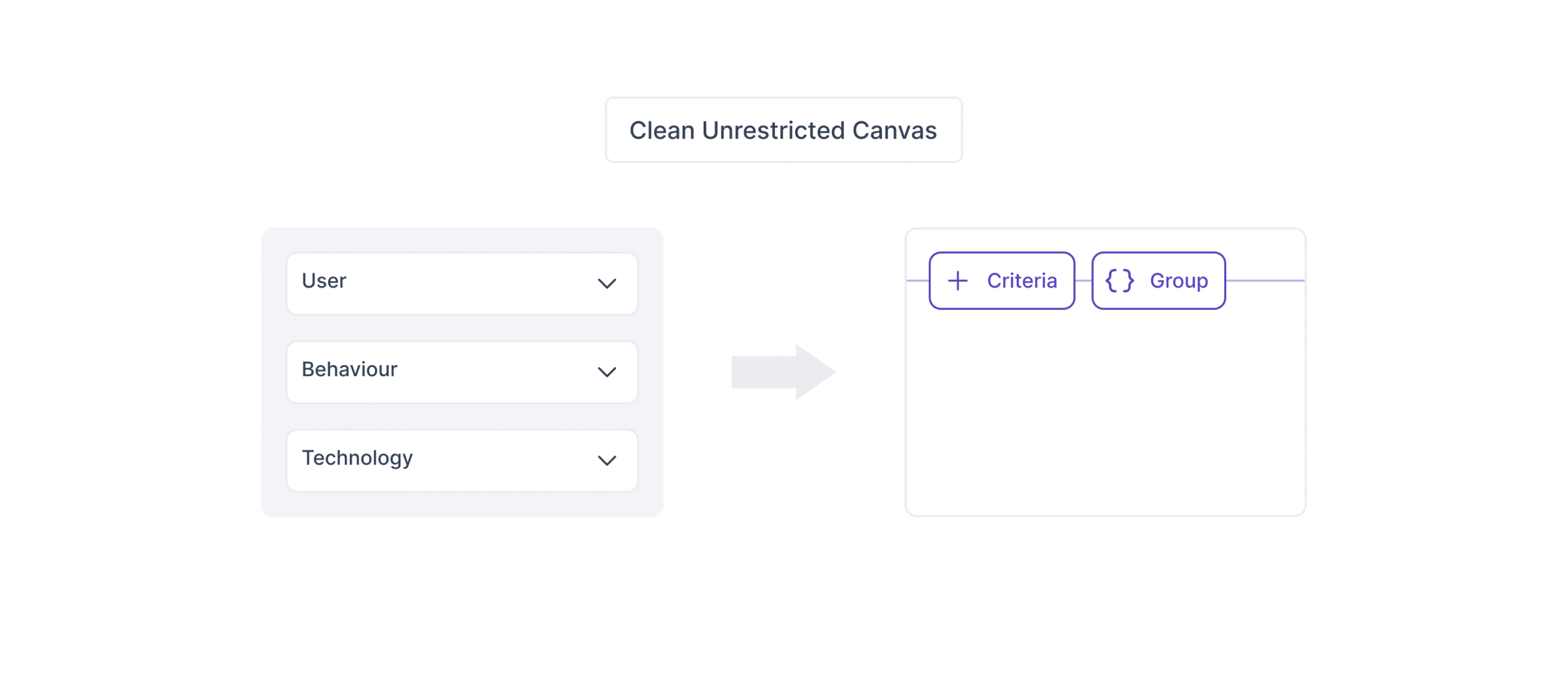
Start with a blank slate. Think freely. Build freely.
No predefined blocks. No rigid structures. No forced hierarchy. Just you, your logic, and complete flexibility.
Define conditions exactly the way you want to combine events, user attributes, realised variables, and derived attributes with ease.
⚙️ A Criteria Builder Designed for Real-World Logic
Your users aren’t simple, and neither should your segmentation be. 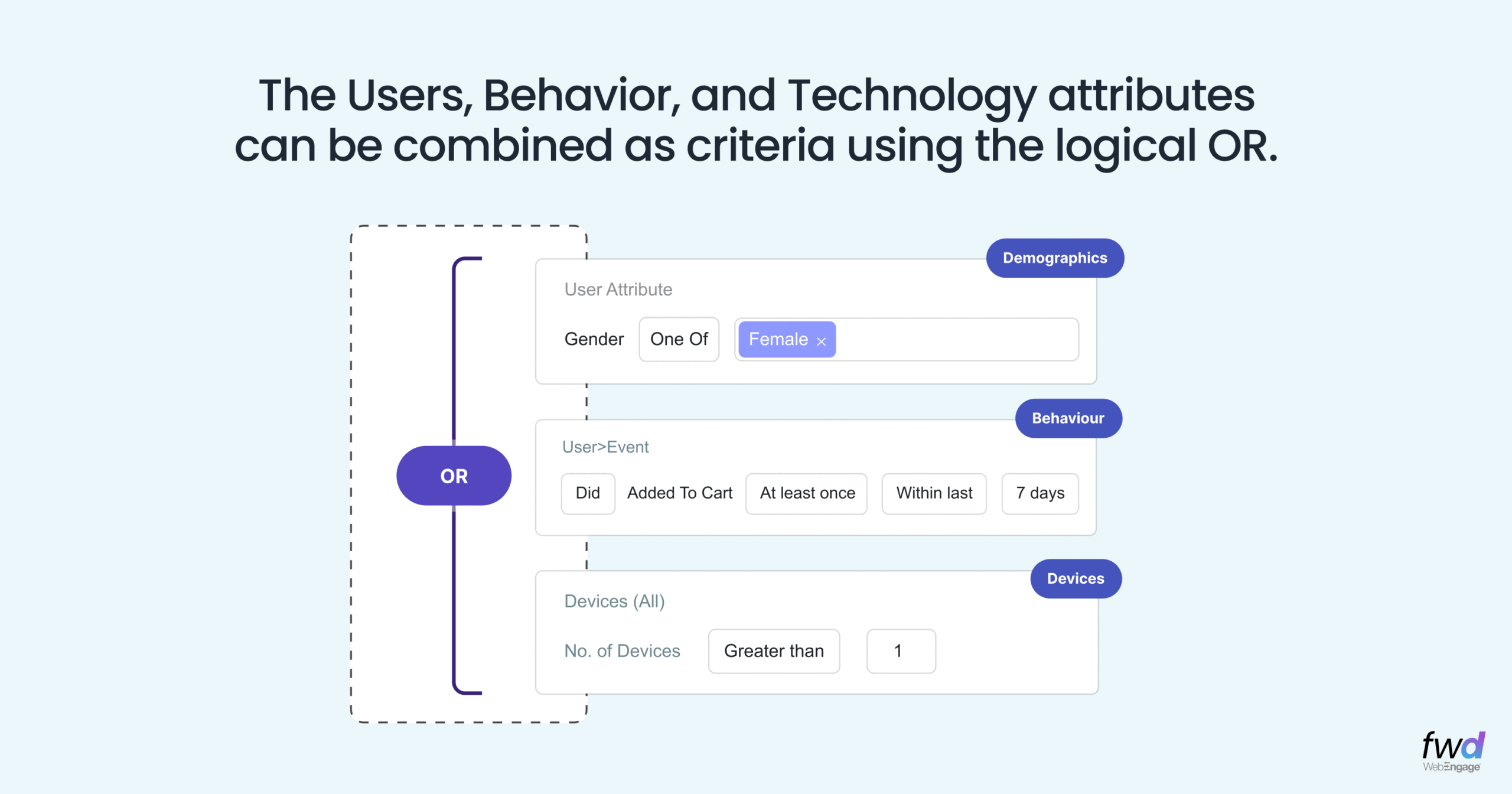
The new Criteria Builder brings all of these together and you can now combine any of the below to build complex criteria using logical operators.
User Attributes
City, age, demographics, acquisition source, device type, app version, best channel, and more.
Behavioural Data (Events)
Purchases, logins, transactions, visits, form fills, every action, with event attribute filters.
Realised Variables
Dynamic values that evolve with the user:
- Last Seen
- Reachability
- First Acquisition Source
- Technology (device + type)
- Best Channel
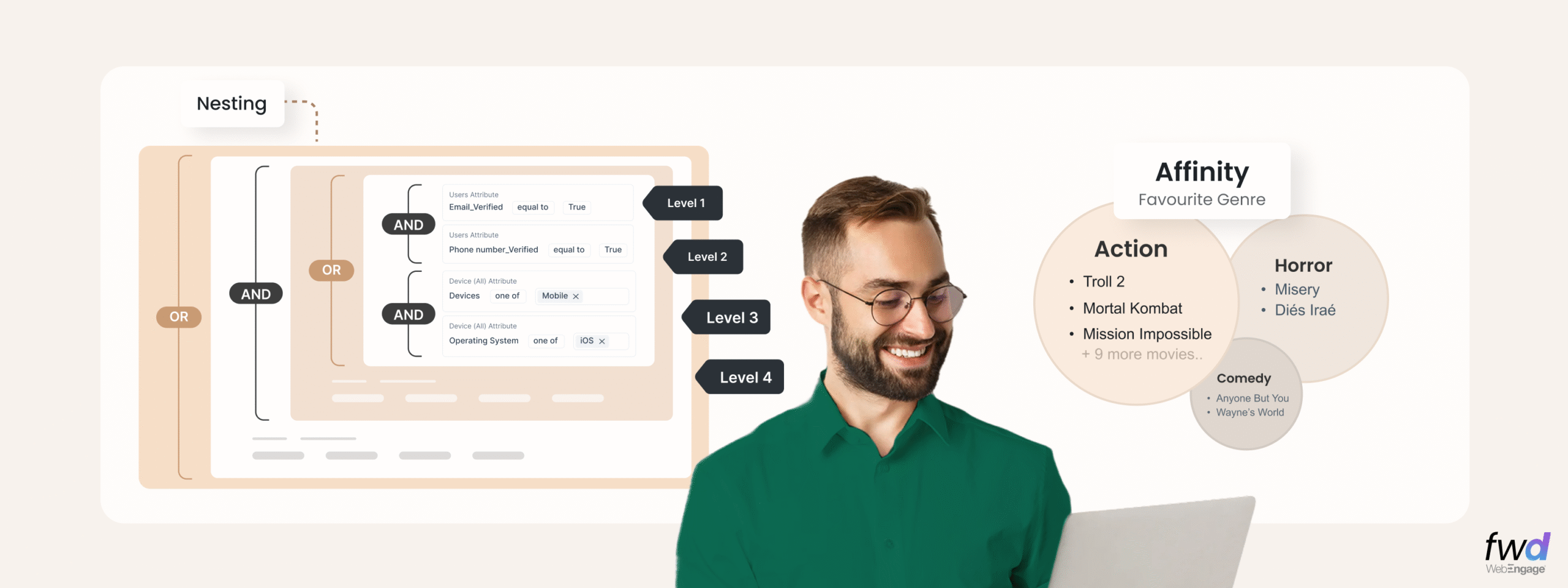
Up to 4 Levels of Deeply Nested Logic
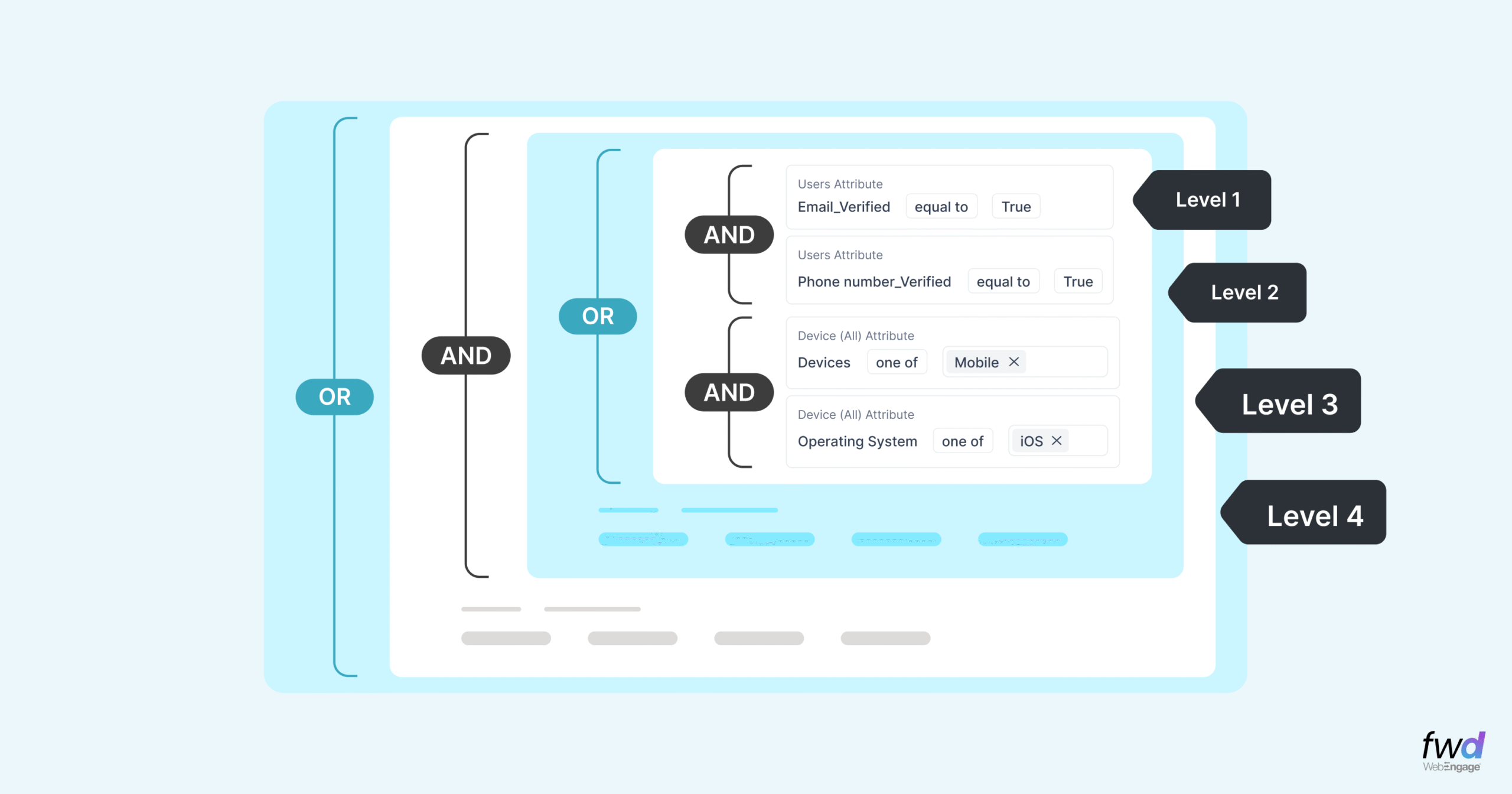
Industry-leading depth for real segmentation complexity.
Build expressions like:
(High Intent OR High Spend) AND (Recent Activity OR High Reachability) all in one flow, without hacks, workarounds, or awkward nesting limits.
🔥 Affinity Segmentation — The Game Changer
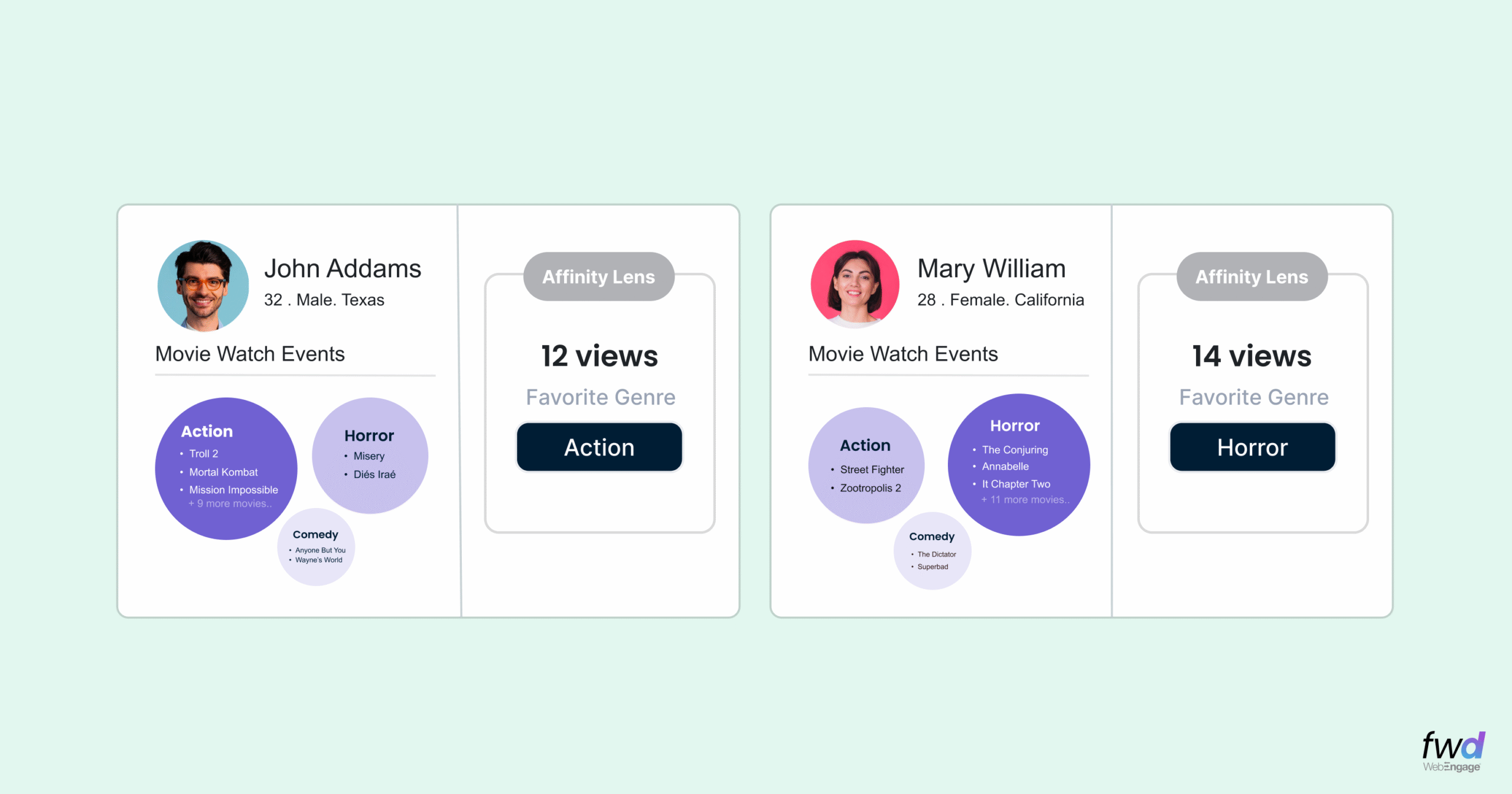
Understanding who a user is… is basic.
Understanding what they love most? That’s intelligence.
Affinity identifies the dominant categories, behaviours, and preferences for every user:
- Preferred product category
- Most-watched content genre
- Most-engaged investment type
- Most interacted brand
- Most purchased price band
No guesswork. No manual tagging. Just automatic preference discovery for hyper-personalisation.
💡 Why This Matters
Marketing teams today need segmentation that adapts to fast-changing behaviour.
Imagine these real-world use cases:
📱 E-Commerce
Segment users based on:
- “Purchased in the last 7 days AND has affinity for Sneakers”
- “Browsed >3 categories AND viewed premium items”
🏦 Fintech
Segment by:
- “High-value investors with affinity for Large Cap”
- “Users with 3+ withdrawals above ₹5,000 in Mumbai”
📚 EdTech
Segment learners who:
- “Completed 70% of a course OR downloaded study material”
- “Has affinity for Aptitude + has not logged in for 5 days”
With the new Segmentation, all this becomes effortless.
🧪 Let’s Build a Segment Together
Once you’re on the Segments page:
1️⃣ Click + Create List
Choose between:
- Create using criteria
- Upload CSV
2️⃣ Define Your Criteria
Add user attributes, events, realised variables, whatever fits your logic.
Example: Segment: “Users who have made >3 withdrawals in the last 7 days” Add an event → Withdrawal → Count > 3 → Last 7 Days. 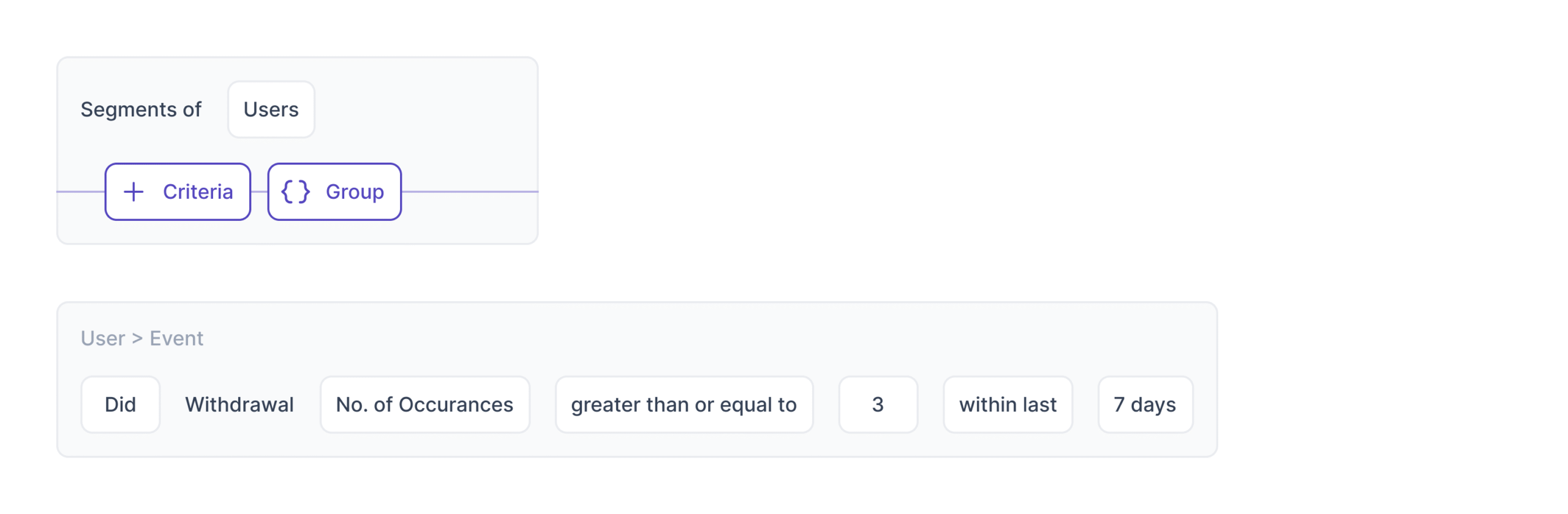
Add Event Attribute Filters
Event: Withdrawal Attributes: transaction_amount > 5,000 city = Mumbai 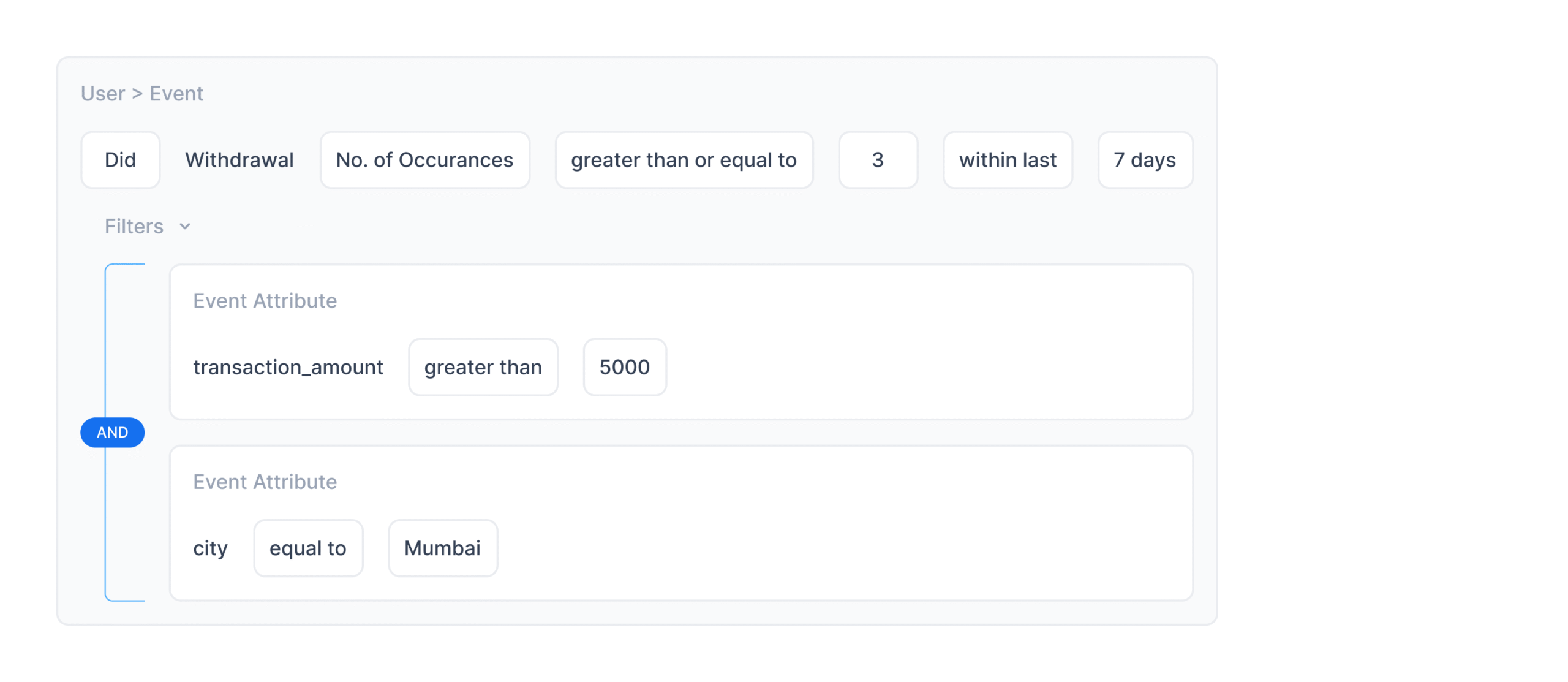
This is where granularity meets simplicity.
🧱 Groups- The Real Powerhouse
Groups let you combine multiple criteria using AND/OR, and nest them up to FOUR levels deep.
Example: Realistic Nested Use Case
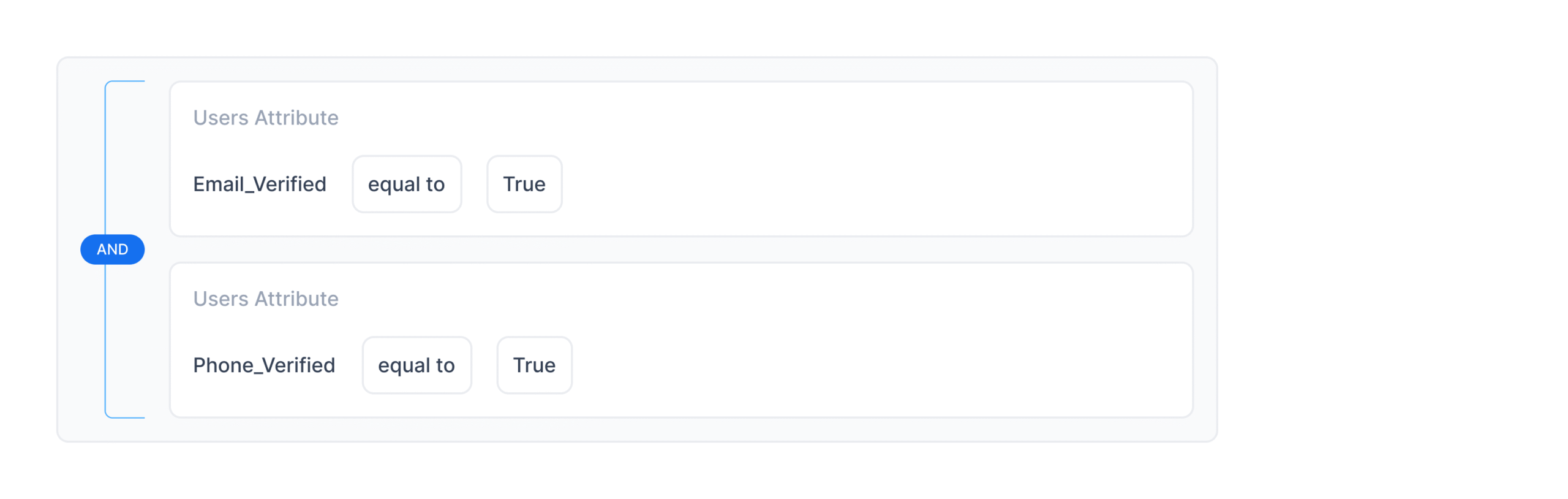
Goal: Identify users who have either completed verification OR shown high purchase intent.
Group 1 (AND):
- Email Verified = true
- Phone Verified = true
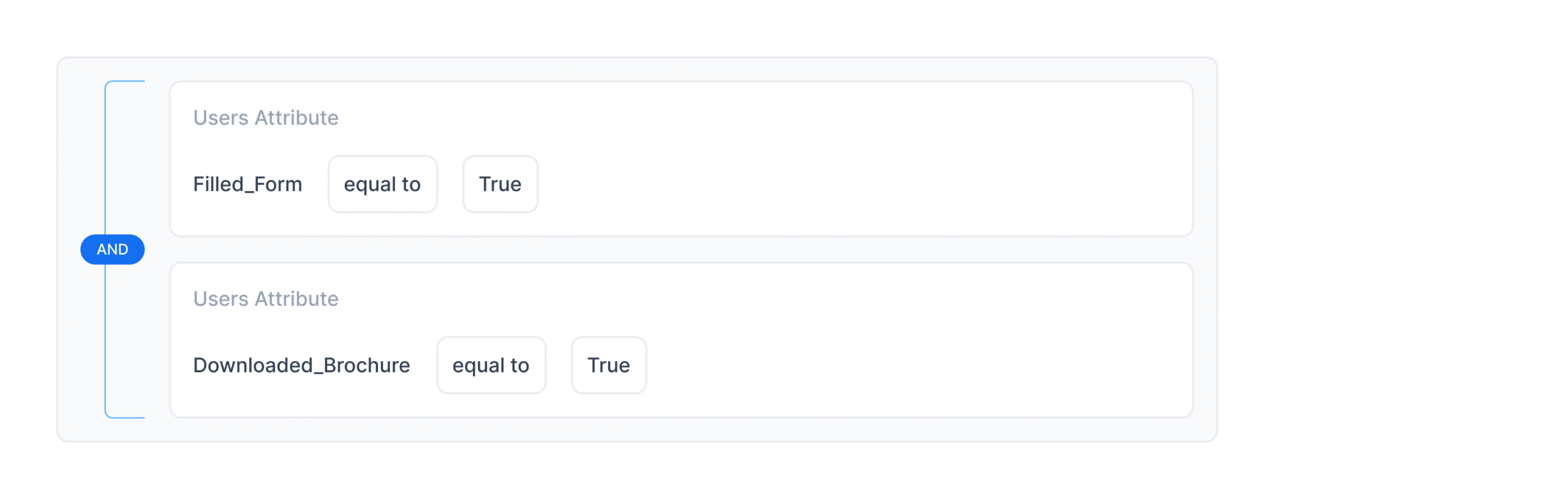
Group 2 (AND):
- Filled Form = true
- Downloaded Brochure = true
Then combine both:
(Group 1) OR (Group 2)
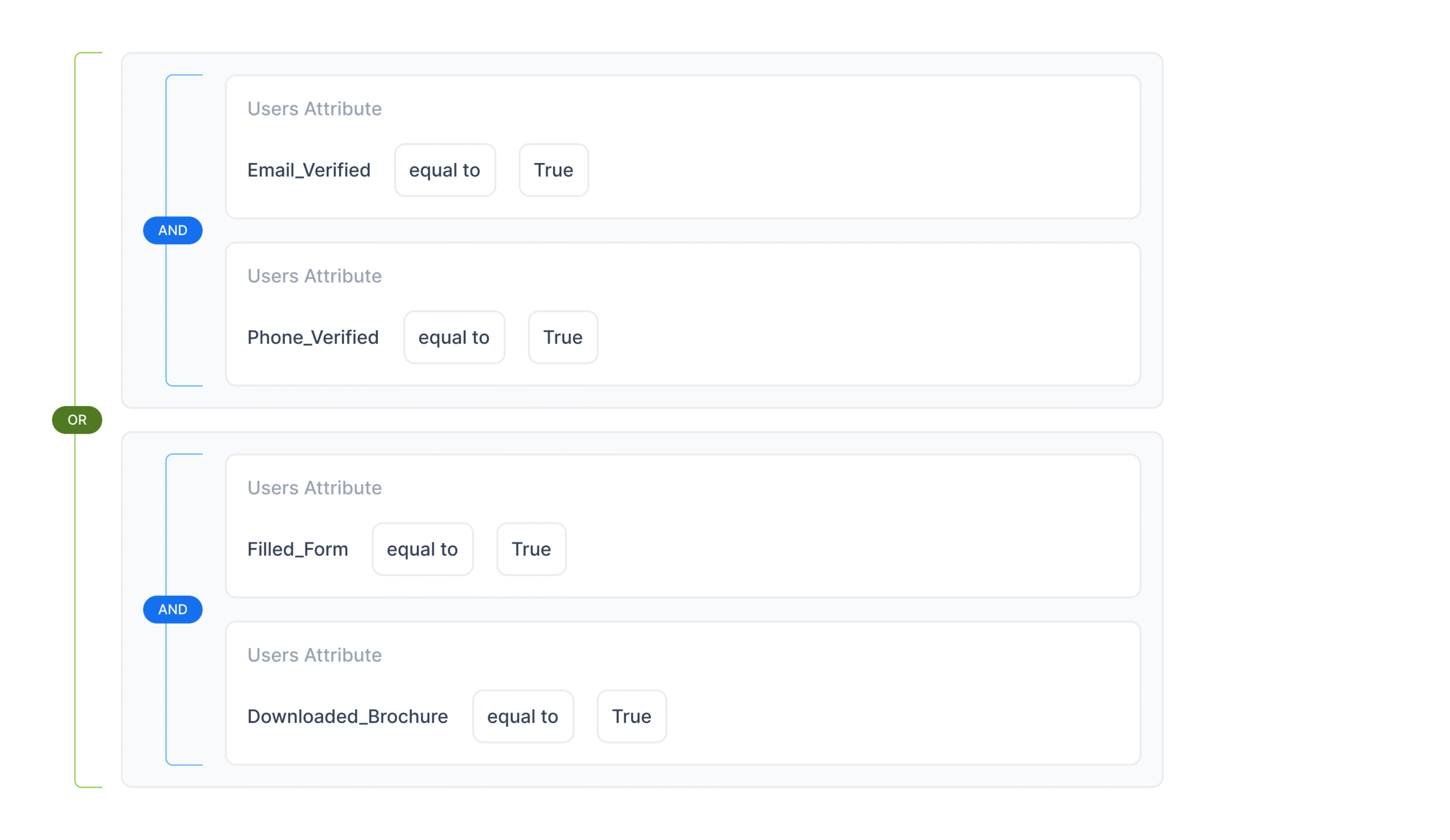
This mirrors the complexity of real user behaviour, not oversimplified segmentation.
🔍 How to Define Affinity: Picking the Right Event & Right Attribute
To calculate affinity, you first need to decide which user action best represents preference. This is the event that will act as the foundation for affinity analysis.
Step 1: Choose the Event That Reflects User Interest
Start by selecting the event that best captures user intent or preference.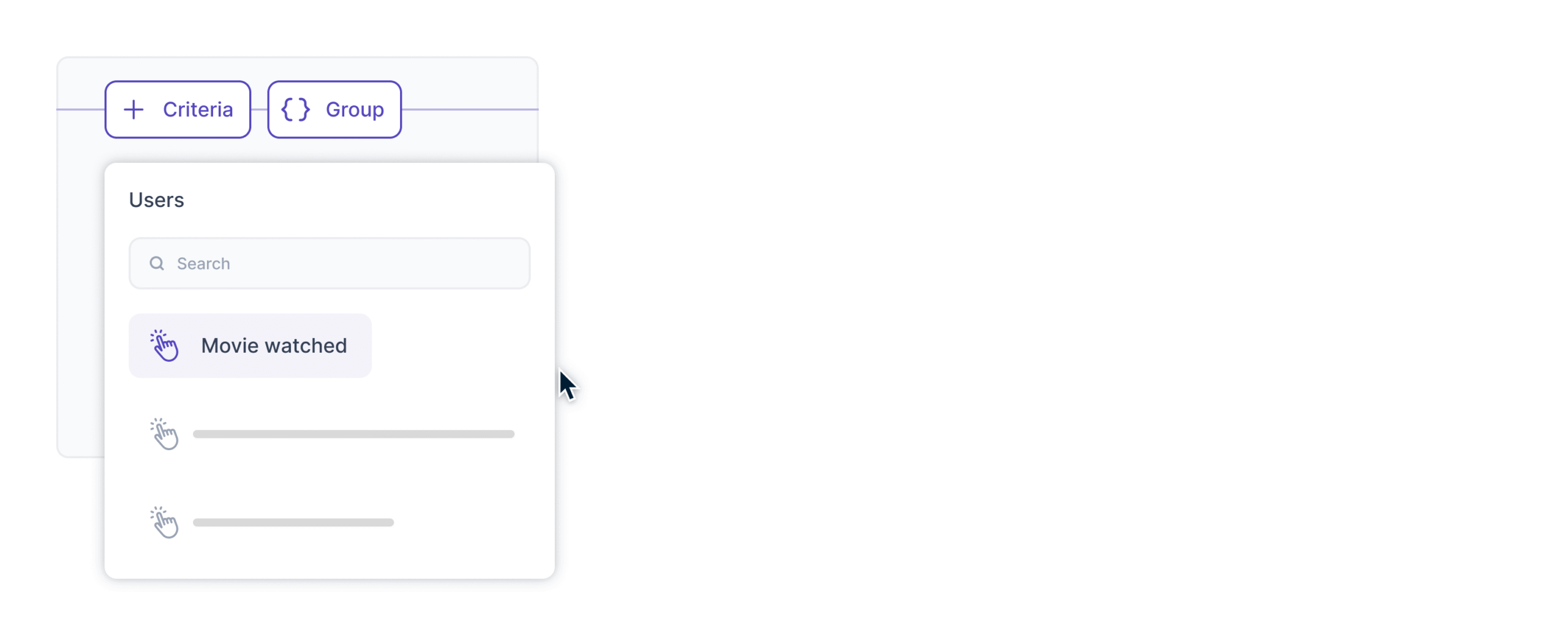
Examples:
E-commerce
- Product Viewed → browsing interest
- Product Added to Cart → high intent
- Product Purchased → strongest preference signal
OTT / Media
- Episode Viewed
- Genre Browsed
- Artist Played
Fintech
- Investment Product Viewed
- Loan Product Explored
EdTech
- Course Viewed
- Lesson Completed
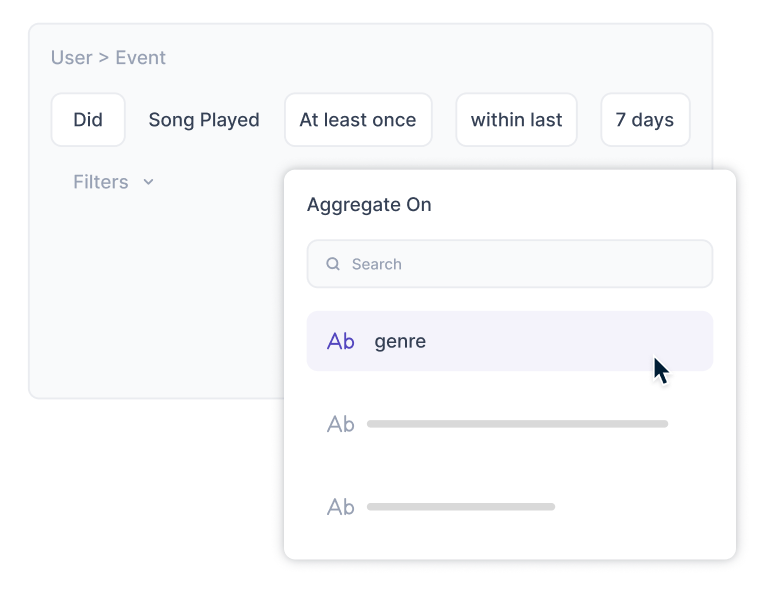
Step 2: Select the Attribute You Want to Build Affinity For
Next, identify the event attribute that represents the dimension of preference you want to compute.
Examples:
E-commerce
- Favorite category (“Sneakers”, “Home Decor”)
- Favorite brand (“Apple”, “Nike”)
- Favorite color (“Black”, “Red”)
OTT / Media
- Favorite genre (“Action”, “Thriller”)
- Favorite actor/artist (“Tom Cruise”, “A.R. Rahman”)
Fintech
- Favorite investment type (“Large Cap”, “Liquid Funds”)
- Preferred loan type (“Home Loan”, “Personal Loan”)
EdTech
- Favorite subject (“Physics”, “History”)
- Preferred difficulty level (“Intermediate”, “Advanced”)
Step 3: Apply the affinity() Function
After selecting the relevant event and attribute, choose the affinity() function in the criteria builder.
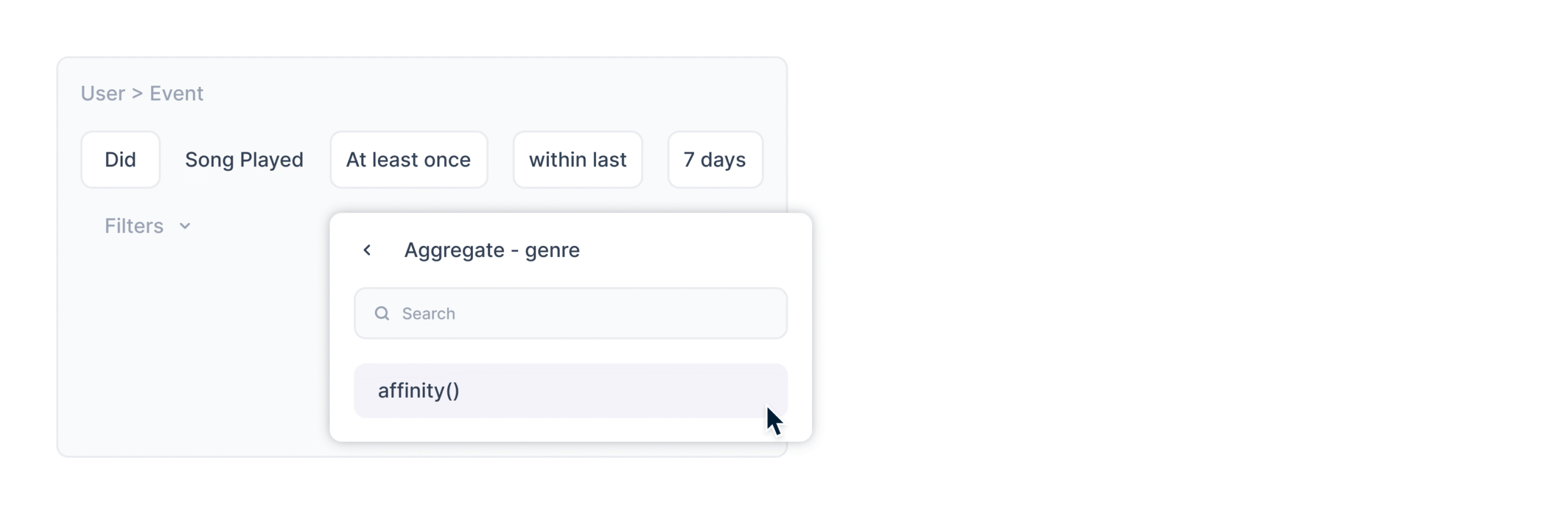
This function automatically:
- Analyzes all occurrences of the selected event
- Categorizes them by the chosen attribute
- Identifies the value that dominates for the user
- Produces an ongoing, dynamic affinity score or preferred attribute
🌟 Step 4: Use Comparison Operators to Define the Segment
After you select the affinity function, you can now use comparison operators (such as equals, one of, contains) to indicate which specific affinity value the current segment should represent. 
Examples:
- affinity(category) equals “Electronics” → Users whose strongest interest is Electronics
- affinity(genre) one of [“Romance”, “Comedy”] → Users who prefer light entertainment
- affinity(subject) equals “Mathematics” → Learners whose top subject is Math
This means you can create laser-focused affinity-based segments instantly.
🔄 Auto-Refreshing Segments
Your segments shouldn’t age. They should evolve.
You can configure automatic refresh schedules- daily, weekly, monthly.
Example:
Weekend campaign audience:
- Purchased in last 7 days OR
- Reachable via Push
Set segment refresh: Every Friday at 4 PM The campaign always receives the latest users.
🎯 Final Thoughts
Segmentation is no longer about filtering users. It’s about understanding them- deeply, intelligently, dynamically.
With a clean canvas, flexible criteria builder, deeply nested logic, realised variables, and Affinity Segmentation…
This is the most powerful segmentation engine the industry has ever seen.
And it’s only the beginning.


 Prakhya Nair
 Ananya Nigam
 Ryan Dsouza
 Sharath Byloli
 Inioluwa Ademuwagun